匠人学院 JR Academy
  • Position

    我现在在哪,该往哪走?

    几道题看你现在的岗位受 AI 影响多大、机会在哪。免费,不用注册。

    免费看看我现在在哪

    AI 对职业的影响

    我的工作会被 AI 替代吗常见职业的 AI 影响与转型方向AI 时代的新岗位做什么、要求什么、怎么转过去AI 影响自测几道题看你所在岗位的风险和机会

    测一测

    能力测评AI Engineer 面试准备度自测职业性格测试找到和你性格匹配的方向职业规划回答几个问题,看可能适合的职业回国求职评估按学校、专业、毕业时间看回国机会
  • Skill

    不知道该学什么 AI?

    先按方向免费学,每个方向从入门讲到动手做;想系统学再看训练营和导师。

    按方向免费开始学

    按方向免费学

    Vibe Coding用 AI 写代码,零基础可学AI 办公提效文档、表格、汇报用 AI 省时间Prompt 大师把需求说清楚的写法AI EngineerRAG、Agent、MCP 工程实践AI 数据分析用 AI 做查询、清洗和报表全部学习方向 →

    训练营与课程

    全部训练营按职业方向、难度、形式筛选AI Engineer Bootcamp从 LLM 应用到 Agent 的工程训练营人人都能学的 AI Coding非技术背景的 AI 编程实战AI 工作流提效营在职人士的 AI 工作流导师团队一线工程师与行业导师全部课程 →

    动手练与资料

    互动 LabPrompt、前端、Python、AWS 在线练学习路线图一张图看清该按什么顺序学Cheat Sheets语言与工具速查表Wiki 知识库AI 工具与概念讲解视频讲座、公开课、学员分享免费资源 →
  • Evidence

    拿什么让雇主相信你?

    证书、项目、团队实战、比赛作品,最后整理成一份作品档案。

    了解作品档案

    考证

    考证匠 · 全部认证AWS、Azure、GCP、Claude 等备考与模考AWS SAA-C03云架构师入门认证Azure AI-102微软 AI 工程师认证Claude 认证Anthropic Claude 系列认证模拟考试按真实考试界面限时练全部认证 →

    项目与团队实战

    P3 团队实战和真人协作做项目,模拟实习式的团队流程P3 项目经历P3 项目能写进简历的部分Demo Day项目成果展示P3 证书完成项目后的证明P3 全部 →

    比赛与作品

    黑客松限时做出一个作品提交作品把你的项目放进作品展示CareerOS 作品档案在桌面版做任务,提交的结果整理成作品
    考证匠浏览器插件 + App + 小程序截屏分析考题,随时刷题了解考证匠
  • Connect

    怎么把自己推出去?

    简历、面试、内推、导师。先看你和目标岗位差多少,再决定从哪补。

    用求职匠开始

    简历与机会

    求职匠AI 求职工作台:改简历、找岗位、投递AI 简历对照 JD 改写简历内推机会学员和导师分享的内推岗位机会实习、项目和合作机会Offer 榜学员拿到的 Offer

    面试

    AI 模拟面试文字或语音练一次,看差在哪面试中心按公司和岗位找题面经真实面试经历System Design 手册系统设计面试准备面试全部 →

    导师

    1v1 导师按小时约 AI、求职、技术导师拼团私教几个人一起上,每人更便宜职业辅导服务简历、面试、方向的辅导套餐成为导师加入匠人导师团队
    求职匠桌面版一个工作台管完整求职在 macOS/Windows 整理真实经历,按岗位完善简历版本。了解求职匠
  • Community

    去哪认识同路的人?

    讲座、公开课、Workshop、黑客松,线上线下都有。

    看近期活动

    活动类型

    讲座行业嘉宾分享公开课免费试听课程内容Workshop动手做一个小作品黑客松组队限时开发新生节开学季的校园活动

    城市

    悉尼悉尼的线下活动墨尔本墨尔本的线下活动布里斯班布里斯班的线下活动线上在哪都能参加全部活动 →

    社群

    职业社区求职者互助学习小组找人一起学Discord在线交流群
企业会员下载 CareerOS
匠人学院 JR Academy学AI来匠人

Follow Us

linkedinfacebooktwitterinstagramweiboyoutubebilibilitiktokxigua

We Accept

/image/layout/pay-paypal.png/image/layout/pay-visa.png/image/layout/pay-master-card.png/image/layout/pay-airwallex.png/image/layout/pay-alipay.png
EN
产品

CareerOS 与工具

  • CareerOS
  • 考证匠
  • 求职匠
  • 求职匠网页版
  • 求职匠分析报告
  • 求职匠桌面版下载
  • 我的求职报告
  • 购买报告次数
  • 求职匠账单
  • AI 工具箱
  • AI Skill 商城

会员与课程

  • 会员
  • AI 会员
  • AI Engineer VIP
  • 训练营
  • Training Camp
  • 看板学习
  • AI Builder 课程
  • MCP 课程
  • NotebookLM Workshop
  • Business Analyst 课程
  • Web全栈班
  • DevOps项目班
  • 数据工程全栈班
  • 数据分析项目班
  • 编程入门班
  • 算法集训营

求职服务

  • 1v1 辅导
  • 职业辅导
  • BA和产品经理实习
  • 数据科学实习
  • 数据分析实习
  • Marketing实习
  • 简历修改
  • 面试指导
  • 岗位代投
  • 职位监控
  • LinkedIn代运营
  • LinkedIn人脉代加
内容库

学习方向

  • 全部学习方向
  • AI Engineer
  • Context Engineering
  • Vibe Coding
  • Prompt Master
  • AI Builder
  • AI 产品经理
  • Python 入门
  • AI 办公提效
  • AI 数据分析
  • AI 财务
  • AI 内容创作
  • AI 视觉创作
  • 前端开发
  • Hermes Agent
  • OpenClaw 本地智能体

互动 Lab

  • Prompt Lab
  • Frontend Lab
  • JavaScript Lab
  • Python Lab
  • AWS Lab
  • Azure Lab
  • LLM Lab
  • Git Lab

资料与指南

  • Wiki 知识库
  • 学习 Wiki
  • Cheat Sheets
  • 学习路线图
  • AI 路线图
  • 视频
  • 博客
  • 面试手册
  • 模拟考试
  • 免费资源

城市

  • 悉尼
  • 墨尔本
  • 布里斯班
  • 阿德莱德
  • 新加坡
  • 吉隆坡
  • 伦敦
  • 纽约
  • 旧金山
  • 洛杉矶
  • 西雅图
  • 多伦多
  • 温哥华

移民

  • 澳洲移民
  • 技术移民189/190/491
  • 雇主担保482/186/494
  • 投资移民188/888
  • 英国移民
  • 美国移民
  • 加拿大移民
  • 新加坡移民
  • 马来西亚移民
企业

企业服务

  • AI for Business
  • 企业门户登录
  • 企业培训
  • 实习合作
  • 招聘合作
  • Enterprise (EN)

Metatree AI Lab

  • Metatree AI Lab
  • AI 解决方案
  • 数字员工
  • 案例
  • Metatree AI Lab(英文)
  • AI Services(英文)
  • Digital Employee(英文)
  • Work(英文)

青少年 AI 教育

  • Airbotix 少儿 AI 编程
  • 澳洲家长实用资料库
  • NAPLAN 成绩单怎么看
  • My School 学校数据指南
  • 悉尼私校学费 2026
  • 少儿编程课程与训练营
关于

公司

  • 关于我们
  • 匠人导师
  • 成为导师
  • 新闻资讯
  • 元宇宙课堂
  • 匠人工作
  • 匠人商店J3.Club
  • 联系我们

帮助与条款

  • 常见问题
  • 服务条款
  • 隐私政策
  • 取消与退款政策
  • 网站地图

联系

  • hello@jiangren.com.au
  • 0421-672-555

地址

Level 10b, 144 Edward Street, Brisbane CBD (Headquarter)
Level 2, 171 La Trobe St, Melbourne VIC 3000
四川省成都市武侯区桂溪街道天府大道中段500号D5东方希望天祥广场B座45A13号
Business Hub, 155 Waymouth St, Adelaide SA 5000

Disclaimer

footer-disclaimerfooter-disclaimer

JR Academy acknowledges Traditional Owners of Country throughout Australia and recognises the continuing connection to lands, waters and communities. We pay our respect to Aboriginal and Torres Strait Islander cultures; and to Elders past and present. Aboriginal and Torres Strait Islander peoples should be aware that this website may contain images or names of people who have since passed away.

匠人学院网站上的所有内容,包括课程材料、徽标和匠人学院网站上提供的信息,均受澳大利亚政府知识产权法的保护。严禁未经授权使用、销售、分发、复制或修改。违规行为可能会导致法律诉讼。通过访问我们的网站,您同意尊重我们的知识产权。JR Academy Pty Ltd 保留所有权利,包括专利、商标和版权。任何侵权行为都将受到法律追究。查看用户协议

© 2017-2026 JR Academy Pty Ltd. All rights reserved.

ABN 26621887572

首页学习AI课程考证
  1. 首页
  2. 训练营
  3. TechScrum DevOps 项目实训营
补技能

TechScrum DevOps 项目实训营

导师 7 周精心辅导,获得可写入简历的项目经验

  • 来自 Amazon 的工程师,手把手带着做项目
时长
7 周
形式
项目实习
查看 AI 职业影响地图 →

退款规则服务条款

这适合你吗

这门课适合我吗?

适合谁 · 需要先会什么

  • 适合在校相关专业的学生,想要通过本项目获得 DevOps 的项目经验。
  • 适合想要在澳洲求职,缺乏 DevOps 工作经验的学生或者在职人员。
  • 适合提升技术栈的在职人员,本项目深度技术培训和实战经验将提升市场竞争力。
  • 适合追求技术成长与职业发展的 IT 人士,希望通过项目实践和专家指导迅速提升技能。
还不确定方向?先看 AI 对你现在岗位的影响
Upcoming

近期开课

可以插班

TechScrum DevOps 项目实训营

2024/04/17
|Online|Online
$1,990

CORE FEATURES

TechScrum DevOps 项目实训营亮点

01

行业精英导师指导

02

商业项目,真实开发环境

03

导师每周进行项目辅导

04

7 周获得项目经验

JOB-READY PORTFOLIO

每期不同的商业团队项目向招聘企业展示

该项目旨在使用 TypeScript 创建类似 JIRA 的项目管理工具。该工具将为团队提供高效的任务、问题和项目跟踪与管理功能。 项目官网:https://www.techscrumapp.com/

团队项目数:2+
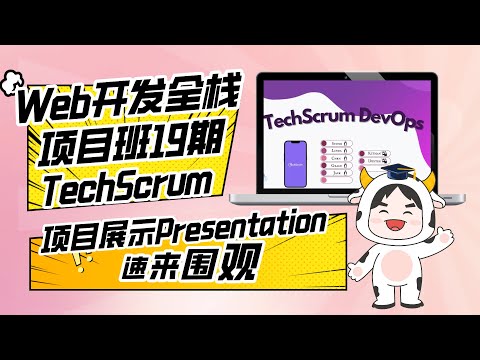
Web开发全栈项目班19期P3团队项目Final展示:TechScrum

Web开发全栈项目班19期P3团队项目Final展示:TechScrum

avatar
avatar
avatar
...Web开发全栈项目班19期同学
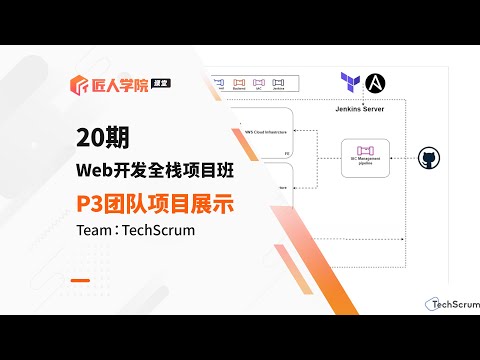
Web开发全栈项目班20期P3 Agile团队项目——TechScrum Final Demo展示

Web开发全栈项目班20期P3 Agile团队项目——TechScrum Final Demo展示

查看更多项目展示视频
课程大纲

TechScrum DevOps 项目实训营课程大纲

每节课标出它补哪一类差距:讲课与阅读补技能,Lab 与作业补证据,团队项目补经验。

1DevOps Fundamentals1 课时
  1. L01Environment/Local Builds课程技能
2DevOps Infrastructure as Code2 课时
  1. L01Basic Frontend/Backend IaC Code课程技能
  2. L02Frontend/Backend IaC Enhancement + Monitoring课程技能
3DevOps Monitoring and Logging3 课时
  1. L01Cloud Account, GitHub Organization, Frontend/Backend Monitoring课程技能
  2. L02Monitoring Tools IaC课程技能
  3. L03IaC for Monitoring课程技能
4DevOps Kubernetes & Orchestration1 课时
  1. L01Failover课程技能
查看完整课程大纲
课程价值

为什么选择 TechScrum DevOps 项目实训营

课程说明This project uses the DevOps workflow for the TechScrum web application. Participation in the project reinforces students' knowledge, engages them in hands-on DevOps projects, and provides a deep unde ...

Expert Team

导师团队

价格选项

可以插班

TechScrum DevOps 项目实训营

2024/04/17

课程时长:
授课方式:Online
授课地点:Online
授课老师:Dexter Z, 匠人小班 Beta, Yolanda Yang, Xiao Hua
Tech Stack

课程知识点

DevOps工作技能

Python

Python

Git

Git

Deploy

Deploy

CI/CD

CI/CD

Linux

Linux

Agile

Agile

Web Development

Web Development

NPM

NPM

Bash

Bash

CRUD

CRUD

Pipeline

Pipeline

DevOps流程

Coding Basics

Coding Basics

Linux

Linux

Containerization

Containerization

Orchestration

Orchestration

CI/CD

CI/CD

Infrastructure Automation

Infrastructure Automation

Configuration Management

Configuration Management

Logging

Logging

Monitoring

Monitoring

Auto Scaling

Auto Scaling

Incident Management

Incident Management

DevOps职业技能

简历修改

简历修改

模拟面试

模拟面试

面试指导

面试指导

DevOps项目能力

Docker

Docker

Jenkins

Jenkins

Ansible

Ansible

Jira

Jira

Splunk

Splunk

AWS

AWS

Grafana

Grafana

New Relic

New Relic

Terraform

Terraform

OpsGenie

OpsGenie

Pageduty

Pageduty

CDN

CDN

Reverse Proxy

Reverse Proxy

AWS EC2

AWS EC2

AWS ECS

AWS ECS

AWS Beanstalk

AWS Beanstalk

Status Page

Status Page

Bitbucket

Bitbucket

kubernetes

kubernetes

Travis CI

Travis CI

Gatling

Gatling

Locust

Locust

Selenium WebDriver

Selenium WebDriver

Elastic Search

Elastic Search

Logstash

Logstash

Kibana

Kibana

Python DevOps Tools

Python DevOps Tools

NodeJS

NodeJS

课程详情

项目介绍

TechScrum DevOps 项目实训营是一个为期 7 周的项目实训营,专为想要提升技术能力的初级 DevOps 工程师设计,通过实践 TechScrum Web 的 DevOps 工作流程,提升他们的技术能力。这个实训营通过行业导师手把手辅导项目,来提高学员对集成、云基础设施管理和 DevOps 性能优化的理解和实践熟练度,并收获一个项目经验。

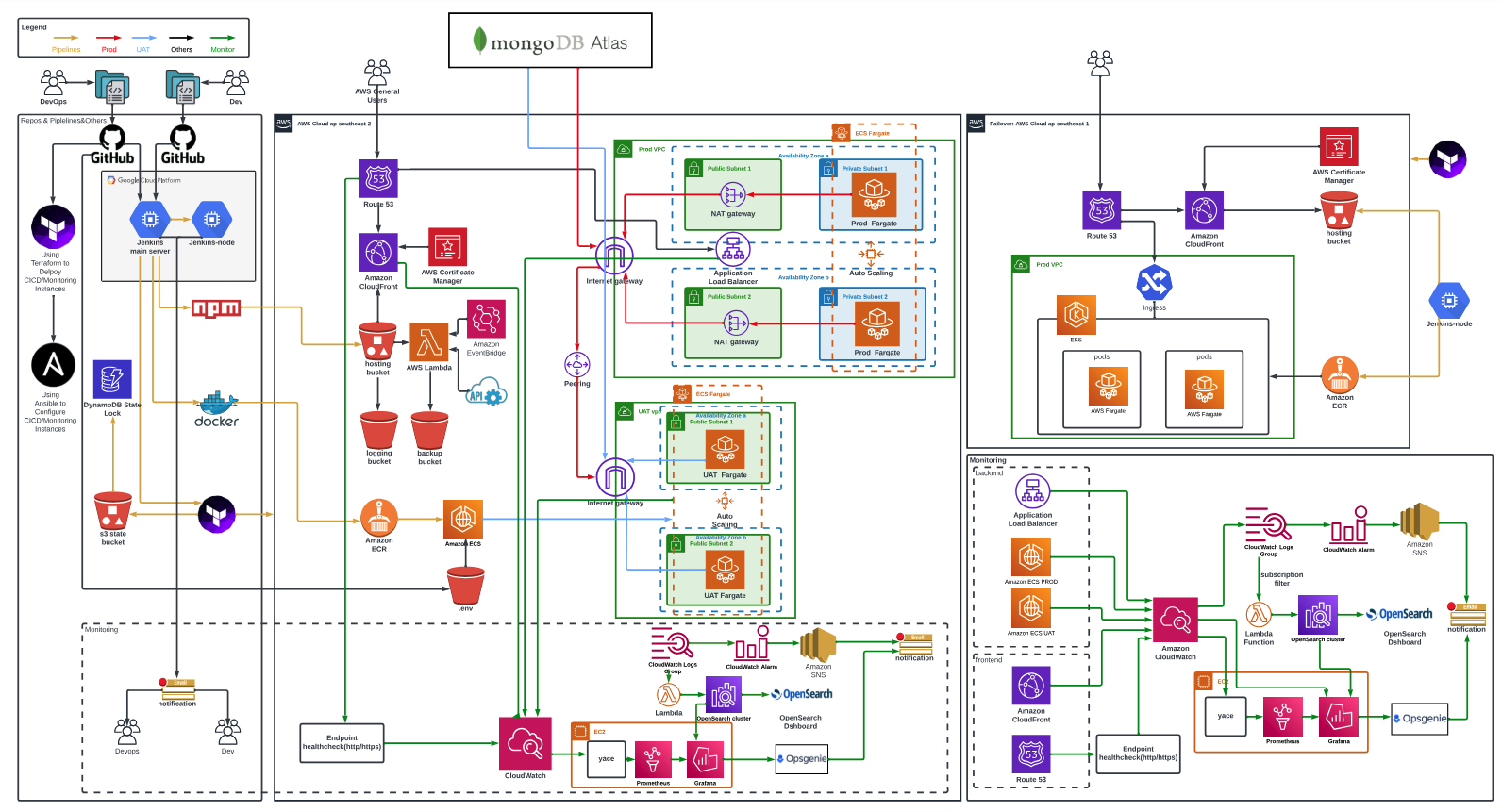
项目架构图
导师介绍

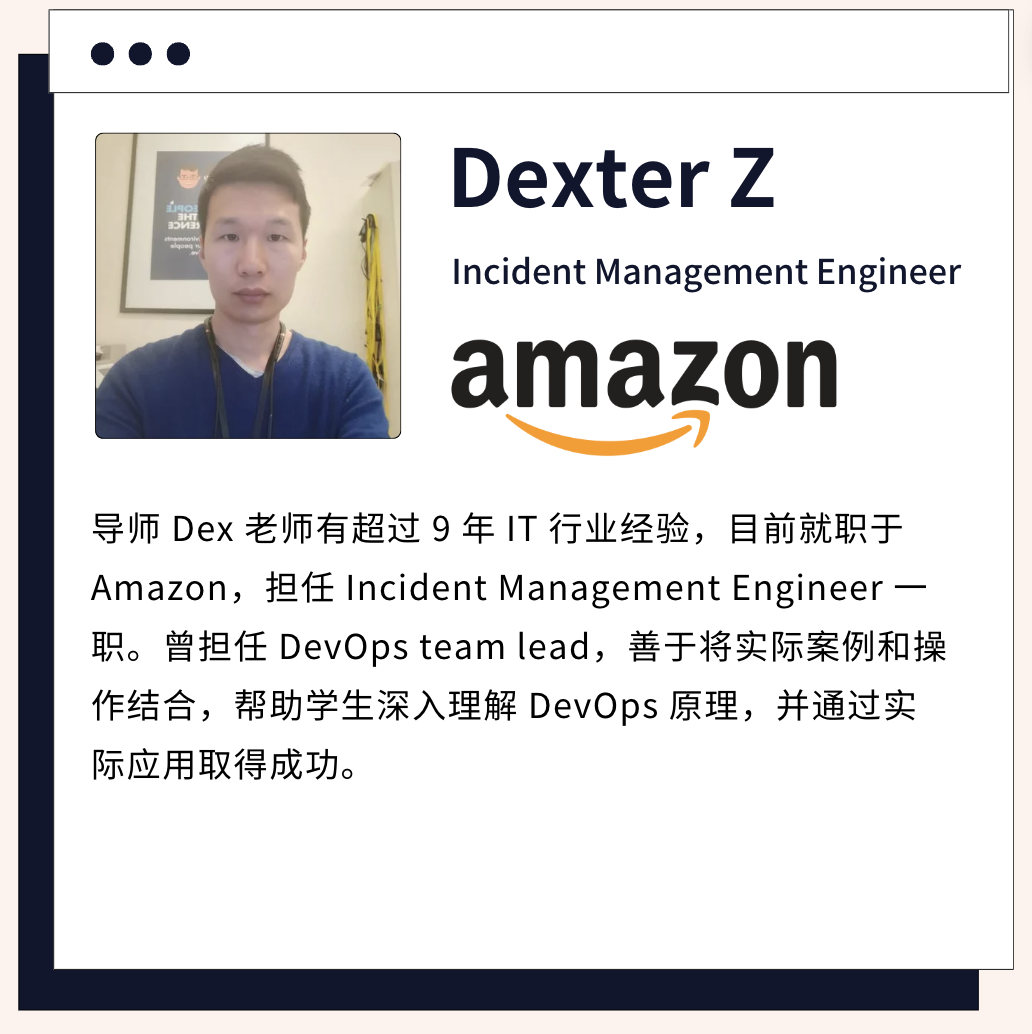
导师 Dex 老师有超过 9 年 IT 行业经验,目前就职于 Amazon,担任 Incident Management Engineer 一职。曾担任 DevOps Team Lead,善于将实际案例和操作结合,帮助学生深入理解 DevOps 原理,并通过实际应用取得成功。
项目特点
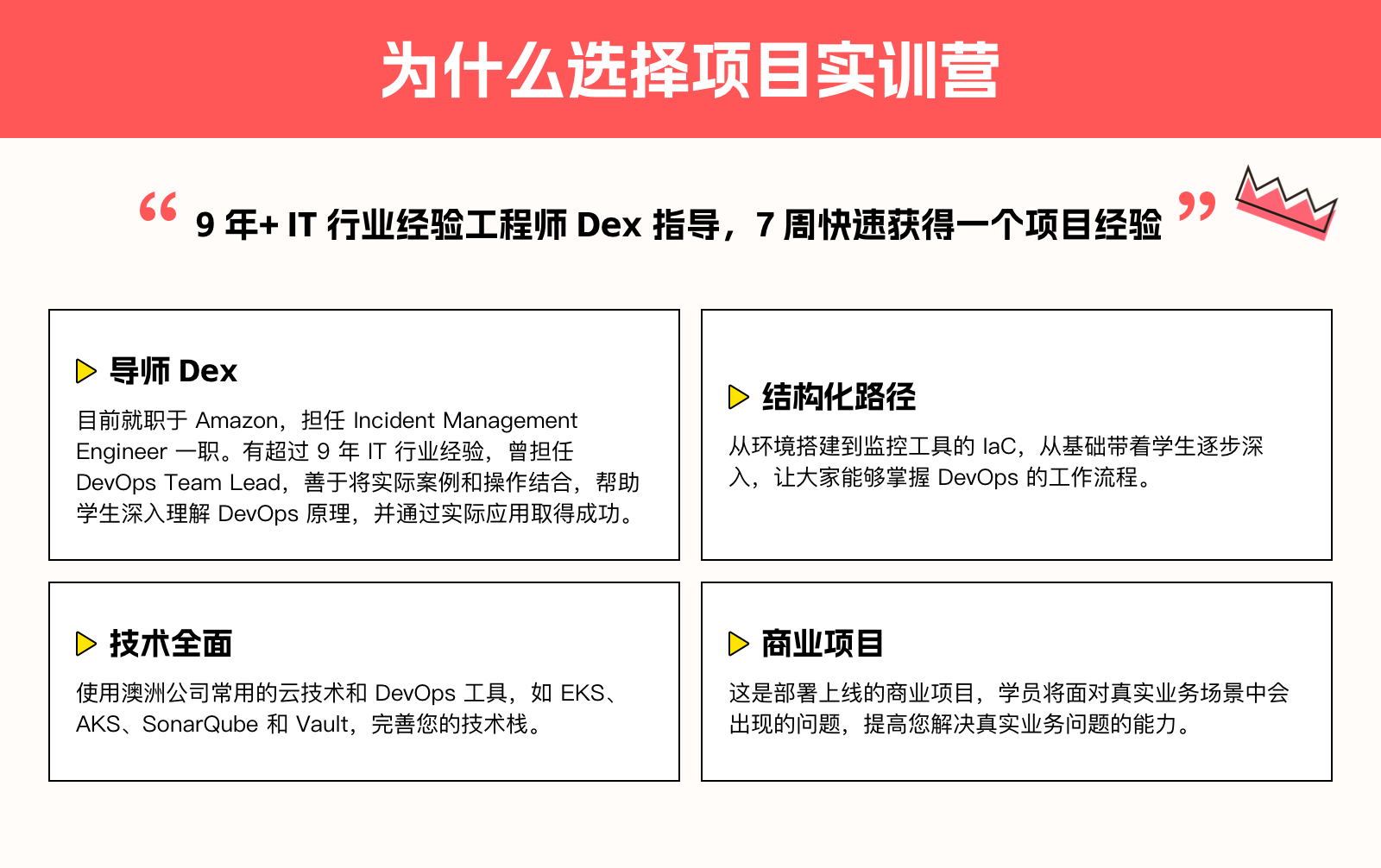
  • 结构化路径:从环境搭建到监控工具的 IaC,逐步深入。
  • 商业项目:学员将面对真实业务场景中会出现的问题。
  • 技术全面:使用澳洲公司常用的云技术和 DevOps 工具,如 EKS、AKS、SonarQube 和 Vault。

项目内容
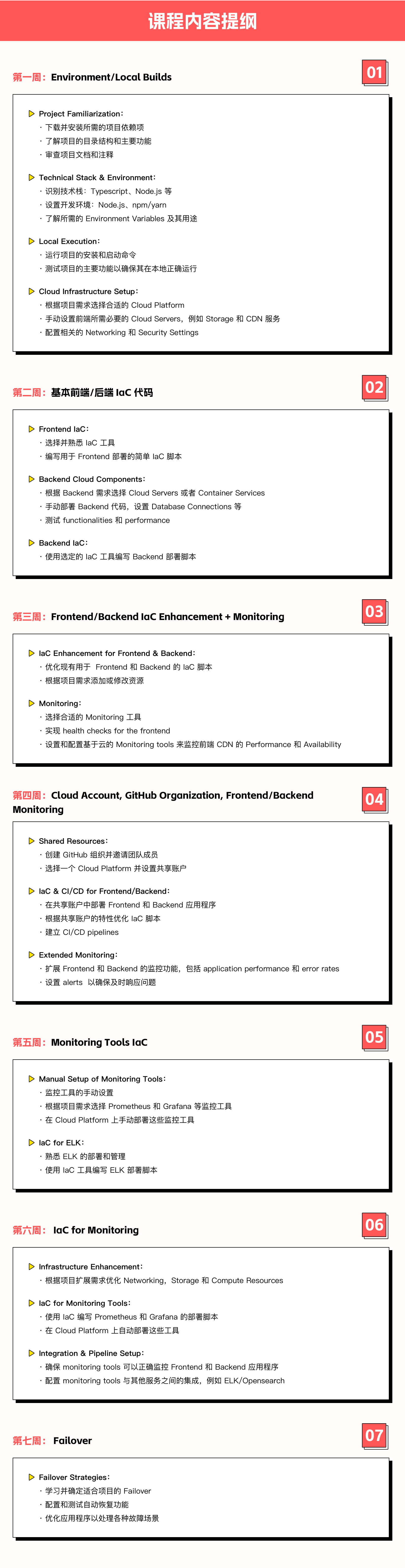
Week 1: Environment/Local Builds

Project Familiarization

  • Download and install the required project dependencies.
  • Understand the project's directory structure and primary functionalities.
  • Review project documentation and comments.

Technical Stack & Environment

  • Identify the tech stack: Typescript, Node.js, etc.
  • Set up the development environment: Node.js, npm/yarn.
  • Identify required environment variables and their purposes.

Local Execution

  • Run the project's installation and start commands.
  • Test the main functionalities of the project to ensure it operates correctly locally.

Cloud Infrastructure Setup

  • Select the appropriate cloud platform based on project needs.
  • Manually set up the necessary cloud services for frontend, such as storage and CDN services.
  • Configure related networking and security settings.

Week 2: Basic Frontend/Backend IaC Code

Frontend IaC

  • Choose and familiarize with an IaC tool.
  • Write simple IaC scripts for frontend deployment.

Backend Cloud Components

  • Choose cloud servers or container services based on backend requirements.
  • Manually deploy backend code, set up database connections, etc.
  • Test backend functionalities and performance.

Backend IaC

  • Use the chosen IaC tool to script backend deployment.

Week 3: Frontend/Backend IaC Enhancement + Monitoring

IaC Enhancement for Frontend & Backend

  • Optimize existing IaC scripts for frontend and backend.
  • Add or modify resources based on project requirements.

Monitoring

  • Select appropriate monitoring tools.
  • Implement health checks for the frontend.
  • Set up and configure cloud-based monitoring tools to monitor frontend CDN's performance and availability.

Week 4: Cloud Account, GitHub Organization, Frontend/Backend Monitoring

Shared Resources

  • Create a GitHub organization and invite team members.
  • Choose a cloud platform and set up a shared account.

IaC & CI/CD for Frontend/Backend

  • Deploy frontend and backend applications in the shared account.
  • Optimize IaC scripts based on the characteristics of the shared account.
  • Establish Continuous Integration/Continuous Deployment pipelines.

Extended Monitoring

  • Expand monitoring capabilities for frontend and backend, including application performance and error rates.
  • Set up alerts to ensure prompt issue responses.

Week 5: Monitoring Tools IaC

Manual Setup of Monitoring Tools

  • Choose monitoring tools like Prometheus, and Grafana based on project needs.
  • Manually deploy these monitoring tools on the cloud platform.

IaC for ELK

  • Familiarize with ELK's deployment and management.
  • Use an IaC tool to script ELK deployment.

Week 6: IaC for Monitoring

Infrastructure Enhancement

  • Optimize networking, storage, and compute resources based on the expansion needs of the project.

IaC for Monitoring Tools

  • Script the deployment of Prometheus, and Grafana using IaC.
  • Automate the deployment of these tools on the cloud platform.

Integration & Pipeline Setup

  • Ensure monitoring tools can correctly monitor frontend and backend applications.
  • Configure integrations between monitoring tools and other services, such as alerts and log management(ELK/Opensearch).

Week 7: Failover

Failover Strategies

  • Learn and determine the appropriate failover strategies for the project.
  • Configure and test auto-recovery functionalities.
  • Optimize the application to handle various failure scenarios.

Challenge:

  1. API Gateway + Lambda:
    • Implement using Terraform, possibly in combination with SAM (Serverless Application Model).
    • Prioritize using Lambdas written by developers.
    • If the developer hasn't finished the Lambda function, the DevOps team can write a backup Lambda (for example, for handling tfstate files or frontend). This can be invoked using API Gateway, EventBridge, or S3.
  2. EKS (Elastic Kubernetes Service) + AKS (Azure Kubernetes Service):
    • Implement one of the platforms.
    • Use Terraform to set up the cluster, worker nodes, and other foundational infrastructure.
    • Deploy applications via a pipeline, with the pipeline located in the code repository.
  3. Code Testing:
    • Set up a SonarQube server and integrate it into the Jenkins pipeline. Email the test results to developers.
    • Incorporate Snyk into the pipeline and email the test reports to developers.
    • Scan once a week to compare code improvements.
    • Implement unit tests for critical parts of the application and ensure they run as part of the CI/CD pipeline.
  4. Load Testing:
    • Use tools like JMeter or Locust to simulate heavy traffic to your infrastructure.
    • Analyze the system's response and identify bottlenecks.
    • Optimize the infrastructure based on the findings and retest.
  5. Security:
    • Integrate with some cloud platform security tools, like AWS securityhub….
    • Integrate automated security scans in the CI/CD pipeline.
    • Ensure all services are running with least privilege access.
  6. Failover Trigger:
    • Design mechanisms to detect system failures, such as health checks or monitoring alarms.
    • Implement automated or semi-automated processes to redirect traffic to the failover infrastructure in case of system failure.
  7. Vault:
    • Set up a Vault server.
    • Store credentials in Vault and modify or create new pipelines accordingly.
  8. GitHub Actions/Bitbucket Pipelines:
    • Re-implement Jenkins code pipelines using either GitHub Actions or Bitbucket Pipelines, depending on the type of the project's code repository.

你将获得什么
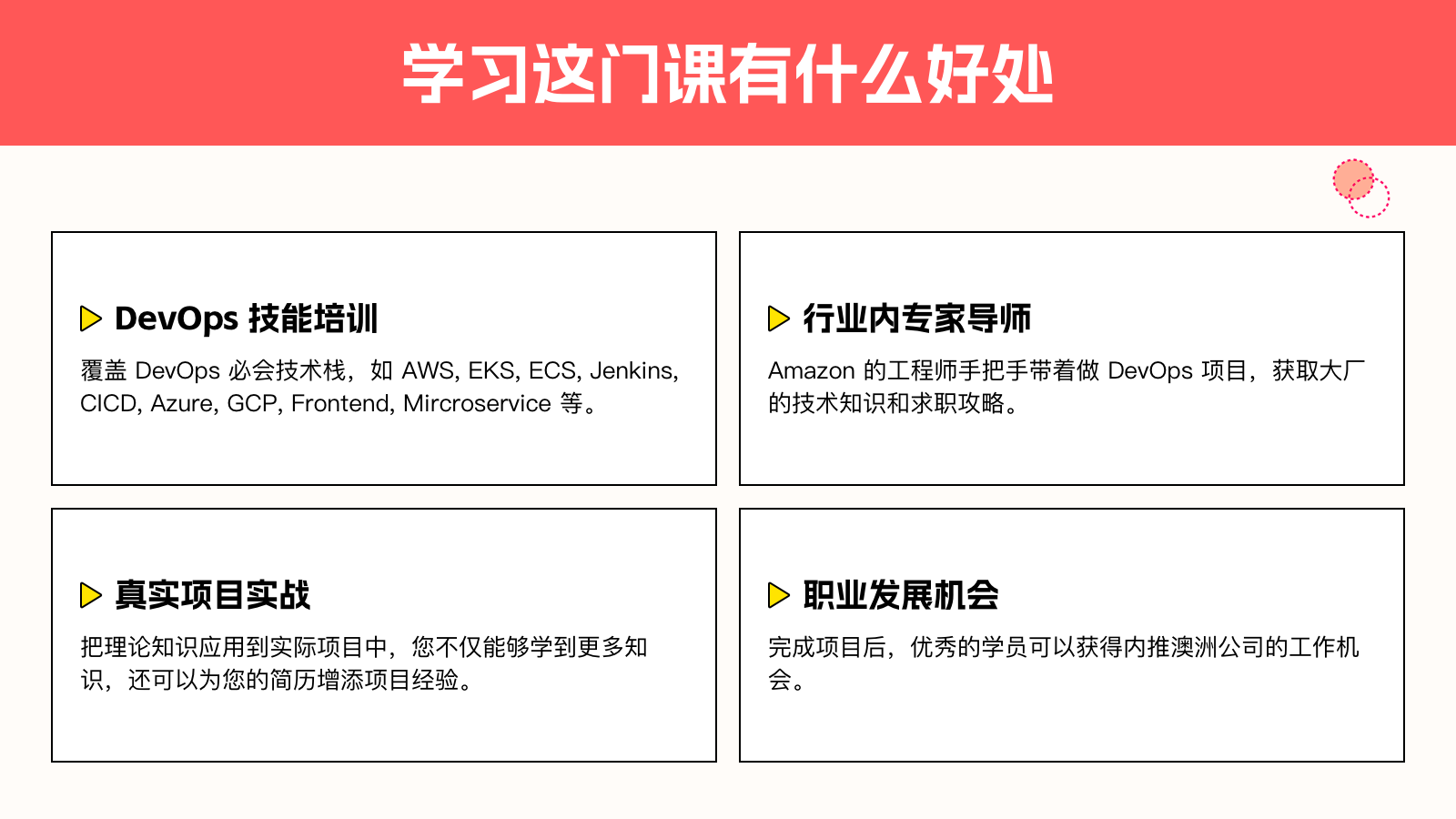
  • 完成项目后的实践经验,加深对 DevOps 核心概念和技术的理解。
  • 项目完成可写入简历,证明你具备 DevOps 领域的专业知识和实战能力。
  • 提升个人技术资历,为未来的职业发展铺平道路。

技术栈

  • IaC工具:Terraform, AWS SAM
  • 云平台:AWS, Azure
  • 监控工具:Prometheus, Grafana, ELK/Opensearch
  • 容器服务:EKS, AKS
  • CI/CD:Jenkins, GitHub Actions, Bitbucket Pipelines

入营门槛

  • 有 DevOps 基础知识
  • 了解云平台

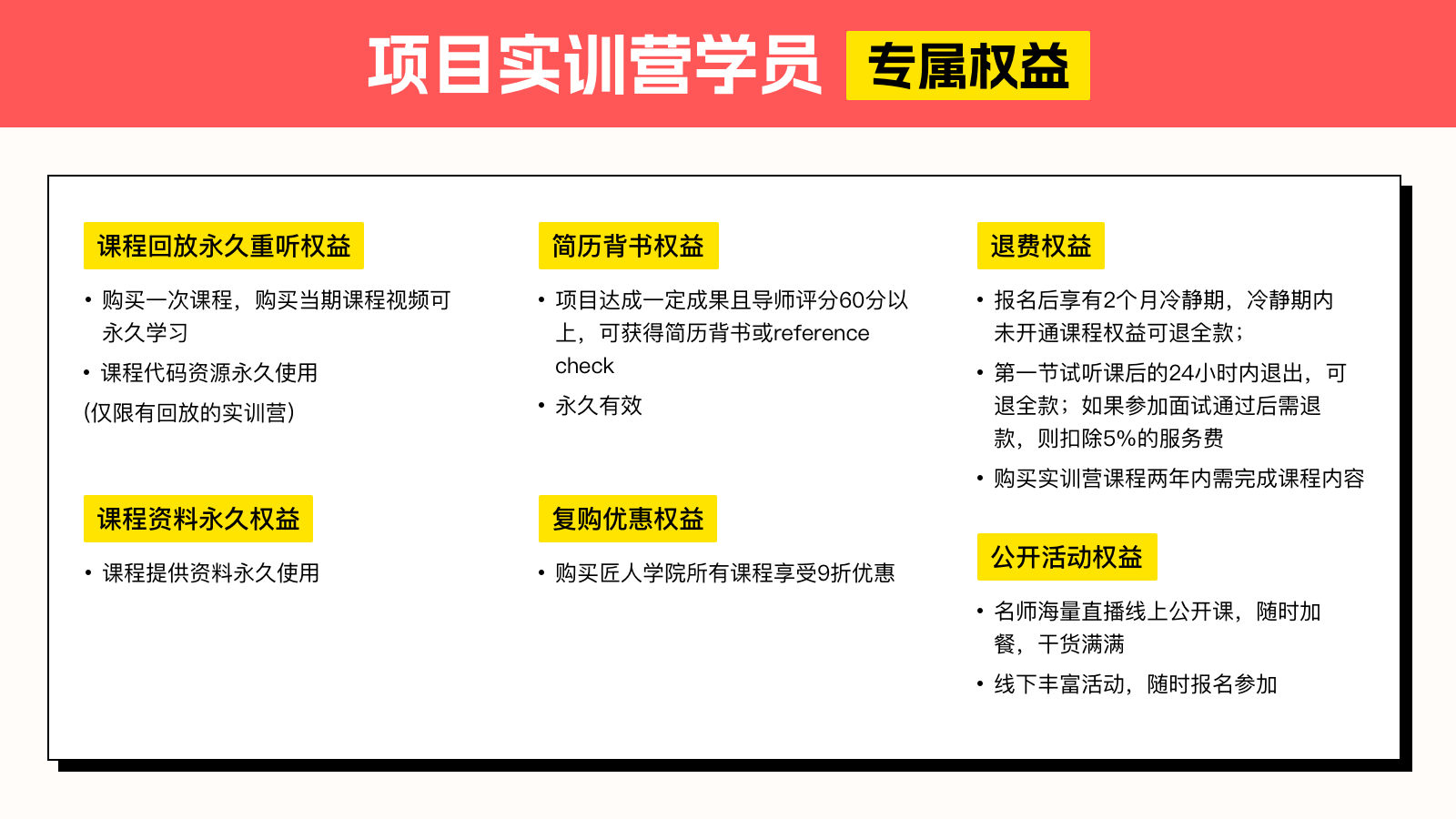
学员权益

LIVE CLASS

我们如何线上上课的

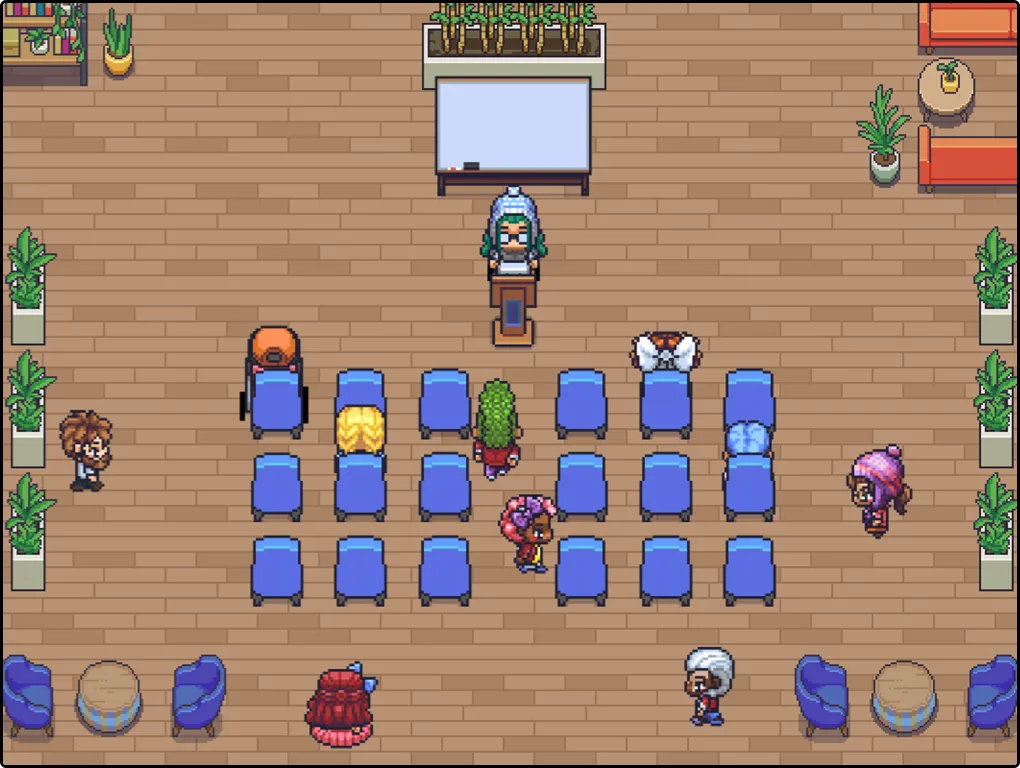
  • 灵活的学习交流时间:随时随地进入课堂
  • 沉浸式学习环境:通过虚拟空间创建了一个高度互动和沉浸式的学习环境。学生可以在虚拟教室、实验室和会议室中进行交流和合作,增强了参与感和实际的课堂体验。
线上上课
线上社群
SOCIAL

线上学习减少孤单感

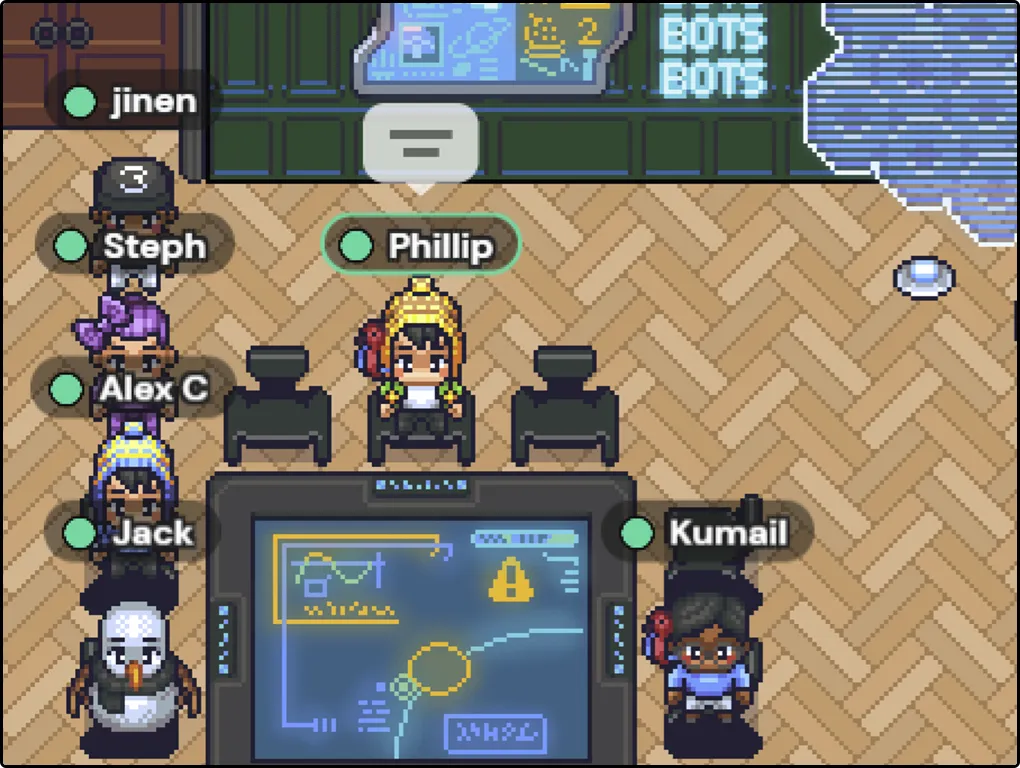
  • 减少学习孤单感:看看还有谁和你在学习,找到志同道合的学习伙伴,共同进步。
  • 提升社交能力:虚拟环境中,学生可以自由结交新朋友,进行社交互动。这有助于提升学生的社交能力和团队协作精神,特别是对内向或害羞的学生来说,虚拟环境提供了一个更舒适的交流平台。
PROJECT

我们如何讨论项目?如何团队做项目

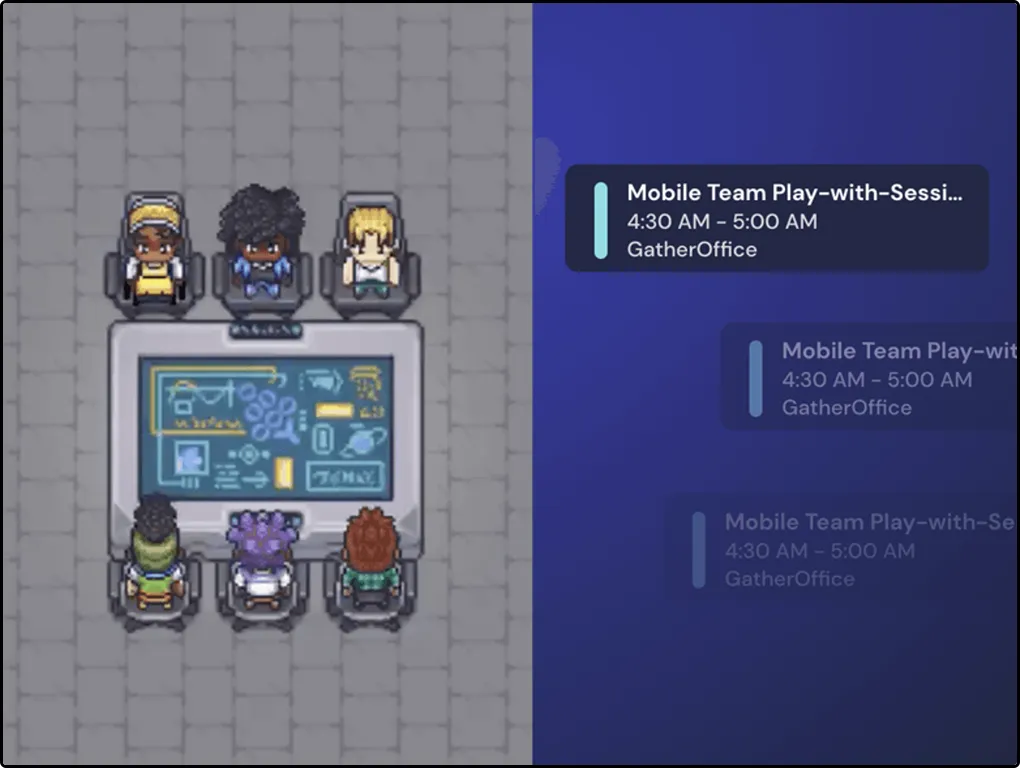
  • 快速建立紧密的团队协作氛围:更高效真实的进行讨论
  • 即时反馈和支持:教师和助教实时观察学生的学习情况,提供即时的反馈和支持。这种即时反馈机制有助于及时解决学生的问题,增强学习效果。
团队讨论

分享此页面

将 TechScrum DevOps 项目实训营 分享给朋友

AI学习路线图面试课程学习中心