Gemini Guide
The useful question about Gemini is not "Google also has an LLM." The useful question is where Gemini earns a real place in your workflow. Its strengths usually show up in long-context work, multimodal input, and products that already sit close to the Google ecosystem.
#Quick answer: what is Gemini, and is it free?
Gemini is Google's AI assistant (gemini.google.com↗ and the mobile app) and the model family behind it. People use the Gemini app; developers get an API key in Google AI Studio↗ and call the Gemini API. Try it first for long documents, PDFs, mixed image/audio/video input, and work that already lives in Gmail or Drive.
- Gemini app plans: Google AI Plus, Google AI Pro and Google AI Ultra (Ultra comes in 5x and 20x tiers). Google shows prices by region, so this page does not fix an amount; see the Google AI plans page↗.
- Gemini API free tier: available for
gemini-3.6-flashandgemini-3.5-flash-lite; not available forgemini-3.1-pro-preview. - Gemini API paid prices (as of 2026-11-09, per million tokens, input / output):
gemini-3.6-flash$0.75 / $3.75 ($1.50 / $7.50 from 2027-01-01);gemini-3.5-flash-lite$0.30 / $2.50;gemini-3.1-pro-preview$2.00 / $12.00 ($4.00 / $18.00 for prompts over 200k tokens). Source: Gemini API pricing↗ - Retired models:
gemini-2.0-flashis shut down;gemini-2.5-proandgemini-2.5-flashare deprecated, and from 2026-12-01 their requests route to newer models. Source: Models↗
Last checked: 2026-11-09.
#What actually matters
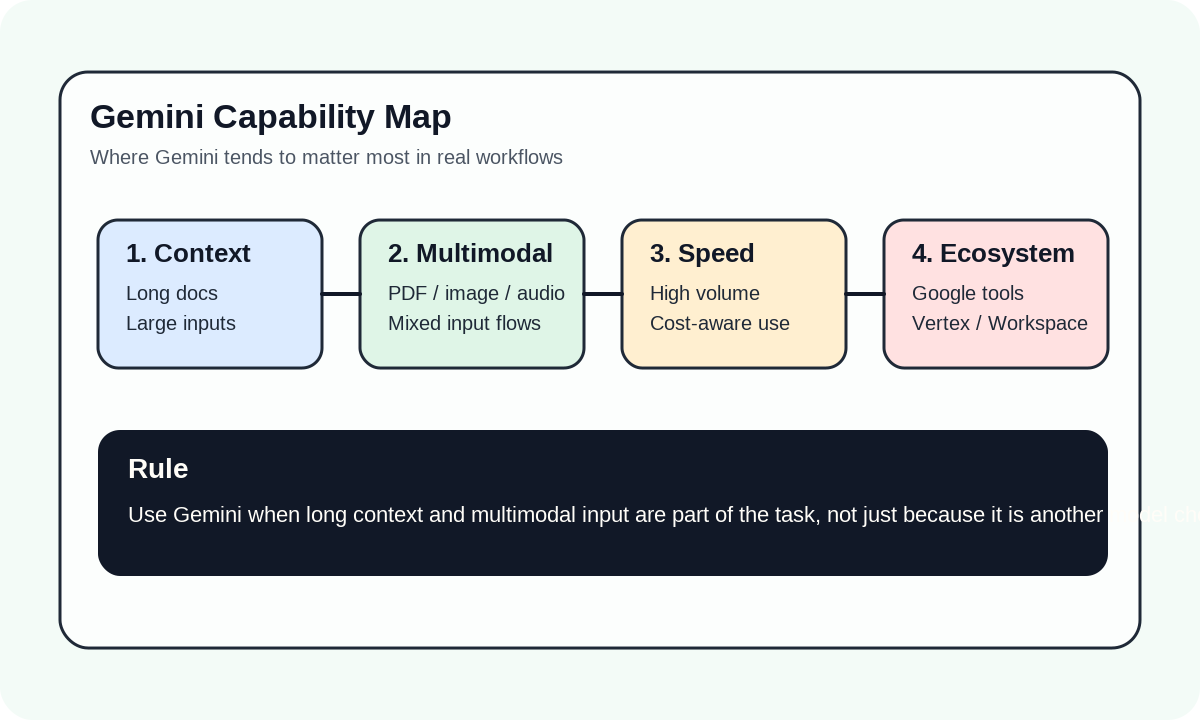
Most of Gemini's real appeal comes from four things:
- long-context capacity
- native multimodal input
- a practical speed and cost profile
- tight integration with Google products
You need the combination to understand where it fits.
#What Gemini is good at
Gemini tends to matter more on heavier tasks than on quick one-shot Q&A:
- analysing long documents
- handling mixed inputs such as images, PDFs, audio, and video
- serving higher request volume under latency or cost pressure
- powering multimodal workflows that need quick feedback
If your work is mostly short rewriting or simple Q&A, the difference may be less obvious.
#Why long context changes the experience
Long context is not just about stuffing in more tokens. It matters because you do not have to aggressively cut source material into fragments before you can do useful work with it.
Typical examples:
- a full technical specification
- a long project brief
- several related reports
- long meeting or video material
That is where Gemini starts to feel more direct and less cramped.